The world’s largest online family history resource - Start now


RECENT POSTS
-
Ancestry Reunites Descendants of FDNY Hero and the Family He Saved -
Finding Your Roots: “The Road We Took” with Lizzy Caplan and Hasan Minhaj -
Honoring the Unforgettable: A Personal Path to Remembrance -
Finding Your Roots: “Caribbean Roots” with Liza Colón-Zayas and Delroy Lindo
GET THE LATEST
New posts + monthly newsletter.
RECENT POSTS
GET THE LATEST
New posts + monthly newsletter.
Key Takeaways
- Custom Clusters automatically group DNA matches who likely descend from a specific recent common ancestor you share.
- This tool helps you visualize family branches and identify the common ancestors shared by groups of your matches.
- Analyze clusters to discover which side of your family they represent, helping you break through research brick walls.
We’re excited to announce the launch of our new Custom Clusters feature! Since the release of Matches by Cluster in early July, we’ve seen growing excitement about using clusters to break through some of your most stubborn brick walls.
Custom Clusters is an advanced tool for Ancestry Pro Tools members*. If you’re new to DNA matching or unfamiliar with how to use your DNA match list, we recommend reading some of our support materials or watching some of our educational videos on how to use your DNA results to build your family tree. We also recommend that you review your Standard Clusters and the materials explaining them before diving into this tool.
Why You’ll Love It
Custom Clusters is perfect for:
- Solving long-standing mysteries
- Zeroing in on one branch of your family tree
- Quickly filtering out unrelated matches
- Validating research with DNA-based evidence
What Makes Custom Clusters Different?
Traditional clustering tools group all your DNA matches generically. But most of those matches won’t help you answer your specific family history questions. Custom Clusters works differently. It lets you choose a specific match of interest (MOI) around which you can create focused clusters of your matches. This helps you target a specific family line or unknown ancestor to research. You can even add up to four additional related matches—what we call “sidekicks”—to adjust your cluster results around a specific ancestor of interest. We’ll discuss the importance of “sidekicks” below.
Using our distinctive clustering approach, the feature automatically groups your DNA matches into clusters centered on your selected match of interest and presents the results in a clear, visual graph. Additionally, unlike our standard clusters, matches designated as “unassigned” or “both sides” are included in custom clusters.
The output for this tool is different than the output from our standard clusters (or other clustering tools) because it is solving a different problem. Instead of giving you an overview of how your matches are related, this tool is going to let you dive deep into researching a specific family line or ancestor. This tool will show you multiple clusters of your matches at different levels of connectedness, all based around your initial “match of interest” (discussed below).
- Smaller clusters (4-8 matches) include matches that share DNA with every other member of the cluster, indicating that the members of that cluster may be closely related, and therefore share a more recent common ancestor.
- Larger clusters (20+ members) will include some of your smaller clusters plus additional matches. Not all of these matches will share DNA with each other, indicating that not all of them share the same common ancestors, and the common ancestor(s) they do share are more distant. These larger clusters can help you expand the scope of your research.
I’ve found, after studying and analyzing the output from this tool, that the larger clusters give you the most insight into who the “matches that matter” might be if you are seeking to identify an ancestor at the great-grandparent level or more distant. If the ancestor you’re trying to identify is a parent or grandparent, you will likely want to analyze the output from your Standard Clusters first, or focus on the smaller clusters generated with the Custom Clusters tool. Each set of DNA matches is unique, and this feature gives you the flexibility to customize the output and more quickly identify the genetic evidence that may help you answer your genealogical research questions.
Why I’ve Wanted A Feature Like This For Years
From the moment I started using DNA in my own research, I dreamed of a way to easily find what I call “matches that matter.” These are matches that:
- Help confirm historical research
- Share a specific ethnicity
- Might connect me to an unknown ancestor
Custom Clusters finally gives me the power to do just that. While you may have used other clustering tools in the past, Custom Clusters by Ancestry stands apart—both for the science behind it and the level of control it gives you. You’re no longer limited to clusters centered on yourself—you can now build clusters around any match in your list.
A Real-World Example: Chasing Down an Unknown Ancestor
Let’s say my research goal is to identify the parents of a mystery 2nd or 3rd great-grandparent. Most of the matches in my match list are going to be related to me through other ancestral lines, so I want to specifically identify matches that are related to me only through this mystery ancestor that I have not yet been able to document. Here’s how I use Custom Clusters to help me find matches related through my mystery ancestor:
Step 1: Choose your “Match of Interest” (MOI)
I select a 2nd or 3rd cousin AncestryDNA match who I know is related through this mystery ancestor. This is likely going to be a match sharing between 90 and 300 cMs.

Step 2 [optional]: Add Sidekick Matches
Once you have selected your match of interest, the tool will populate with additional matches that are shared with your “Match of Interest.” Next, you can choose up to four sidekick matches—people who also descend from that same mystery ancestor.
Sidekick matches can help you to refine the output of the tool, but are not necessary for the tool to be used. Sidekick matches are most useful to add when they fall out of the selected cM range (next step). For example, if you have a mystery 3rd-great-grandparent, and three known second cousins (sharing between 180 and 300 cM) who descend from this mystery ancestor, one of these matches will be your “Match of Interest,” and the other two can be added as “Sidekicks” to help refine the output. You only need to add “Sidekick” matches if the amount of DNA that they share falls outside of the cM range that you select in Step 3.
Step 3: Set the cM Range
Set the range for a custom cluster based on your expected relationship to DNA matches (your cousins) who descend from your unknown ancestor.
- Determine your relationship to your mystery ancestor. Are they a great-grandparent? A great-great-grandparent? You’ll use the number of “greats” to set your range.<
- Determine which cousins to include in the cluster. If your ancestor is a great-grandparent, set your range for 2nd cousins (since you share great-grandparents with 2nd cousins). If your ancestor is a great-great-grandparent, include 3rd cousins. And if they’re a 3rd great-grandparent, set the range to target 4th cousins.
- Set the range. This is how much DNA you may share with cousins:
- 2nd cousins: 90–340 cM
- 3rd cousins: 40–120 cM
- 4th cousins: 20–60 cM
For example, if you’re trying to identify a mystery 3rd-great-grandparent, you’ll want to target 4th cousins, so set your range as 20–60 cM. If that gives you too many clusters, narrow your range to 30–60 cM, or maybe 20-50 cM. Adjust ranges, matches of interest, and sidekicks until you find a cluster of matches you can’t fit into your known family tree.
Here’s one way I might do it: I have two second-cousin matches, Brandon Smith (MOI) and Leslie Alexander (Sidekick), who are related to me through this mystery 3rd-great-grandparent. I am using second cousins to pull as many matches as I can into the cluster that might be related through this mystery 3rd great-grandparent. Both Brandon and Leslie share more than 200 cM with me. Since I’m targeting a 3rd great-grandparent, I’m going to set my range to be 20 to 60 cM because I am looking for matches in the 4th cousin range that are related to me through this mystery ancestor. Brandon will share some matches with me that Leslie shares, and there will be other matches that Brandon has that Leslie doesn’t have.
By including Brandon as my MOI and Leslie as my Sidekick, I will capture the more distant matches that one of them might share with me, but the other one does not share. (See this support article for additional information on why cousins share different matches with each other.) The cluster output in this example will likely include some matches that are not related to me through the mystery ancestor I am researching, but there will probably be some matches that are key to helping me identify this mystery ancestor. Rather than going through every match in my match list, Custom Clusters helps me to narrow my focus to a more reasonable number of matches to review.

Step 4: Review the Results
Custom Clusters builds targeted groups around my selected match and sidekicks. In the example below, you can see at least two clusters, and possibly three. In the upper left, we have two overlapping sub-clusters, and in the bottom right, we have another sub-cluster. I am going to focus my efforts on determining how the matches in each of these sub-clusters are related to each other and look for surname or location connections to my “mystery ancestor” within the family trees of the DNA matches in these clusters. You may want to tackle first the cluster with the largest number of matches.
Custom clusters can also help me more easily spot matches that might not be helpful for my goal. The match outlined in red (CC) is a match that is shared with my MOI and another cluster match (YR), but the cluster diagram shows me that CC is not a shared match with most of the other matches, indicating a weak connection to the overall network and the possibility that this match is likely not connected through the same common ancestors as the other matches.

Before Custom Clusters, I would have spent hours using the Shared Matches tab and tagging dots to identify groups of matches that might be related through my brick wall ancestor. By using custom clusters, I can quickly identify the matches that I will want to focus my research on. As with Standard Clusters, you can expand the list of matches in the cluster and add a dot to all the matches in the cluster with one click! This functionality alone is a huge time saver! With these matches identified, I can now build out family trees, look for shared ancestors, and check DNA amounts against historical records to finally break through my brick walls.
Pro tip: Not getting the results you want or need? Adjust your cM range or try different sidekicks to test additional theories. Custom Clusters will remain under the Matches by Cluster tab for 30 days, or you can delete them manually.
Try Custom Clusters Today
Whether you’re confirming your tree or exploring unknown branches, Custom Clusters helps you focus your DNA research like never before.
I can’t wait for you to try this new feature! Custom Clusters brings more power, focus, and flexibility to your DNA research. Get ready to break through those pesky brick walls—one custom cluster at a time.
If you would like help using Custom Clusters to solve long-standing mysteries in your family tree, schedule a private, one-on-one genealogy consultation with expert from AncestryProGenealogists. You’ll receive personalized coaching that makes meaningful discoveries possible.
* Matches by cluster is not available to all customers, and some members will not be able to access this feature until December 2025.
RELATED POSTS
-
 03 February 2026Ancestry Reunites Descendants of FDNY Hero and the Family He Saved
2 MIN READ
-
 27 January 2026Finding Your Roots: “The Road We Took” with Lizzy Caplan and Hasan Minhaj
2 MIN READ
-
 23 January 2026Honoring the Unforgettable: A Personal Path to Remembrance
2 MIN READ
-
 20 January 2026Finding Your Roots: “Caribbean Roots” with Liza Colón-Zayas and Delroy Lindo
2 MIN READ
-
 16 January 2026Celebrating Martin Luther King Jr. Day
3 MIN READ
-
 13 January 2026Finding Your Roots: “Great Migrations” with Wiz Khalifa and Sanaa Lathan
2 MIN READ
-
.jpg) 02 January 2026Finding Your Roots Season 12 Premiere
02 January 2026Finding Your Roots Season 12 Premiere2 MIN READ
-
 26 December 2025The Emancipation Proclamation and the Abolition of Slavery
5 MIN READ
-
 19 December 2025Using New Ancestral Journeys to Explore Your Latin American and Iberian Roots
5 MIN READ
-
 12 December 2025Family Traditions and Musical Expression
3 MIN READ
-
 05 December 2025Identifying Your French Ancestor's Birthplace in U.S. Records
5 MIN READ
-
 25 November 2025The Infinite Explorer: New Series on the Secret Threads that Shape Our World
2 MIN READ
-
 21 November 2025Virtual Travel as a Holiday (or Anytime) Gift
2 MIN READ
-
 18 November 2025How Melissa Joan Hart is Using Ancestry to Make the Holidays More Meaningful
2 MIN READ
-
 13 November 2025Two New Podcast Series: “Behind the Headlines of History” and “Unclaimed”
2 MIN READ
-
 05 November 2025Lance Bass Partners with Ancestry to Honor His Grandfathers’ on Veterans Day
3 MIN READ
-
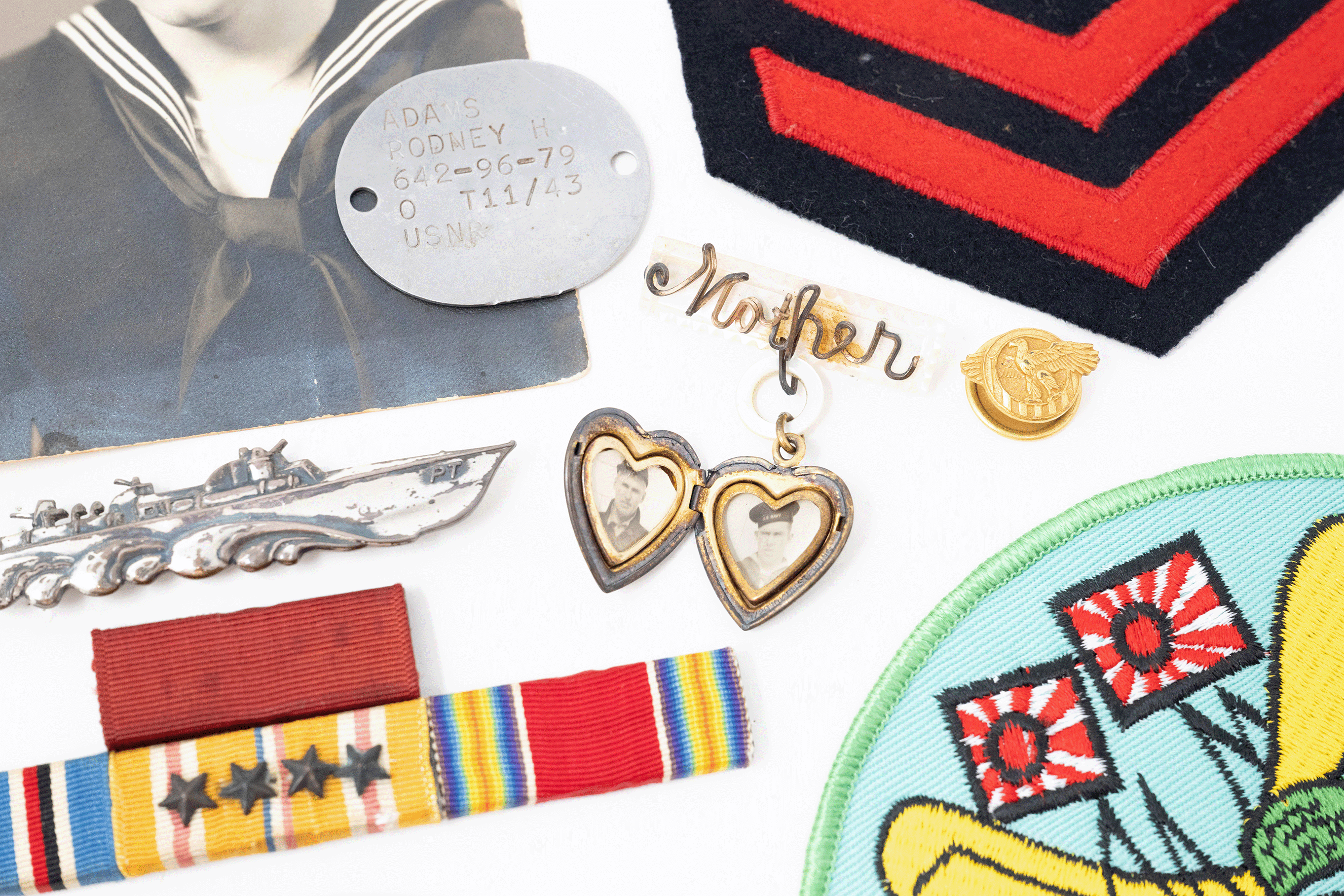 05 November 2025Preserving the Stories of WWII Heroes
3 MIN READ
-
 29 October 2025Ancestry and Wrexham AFC Team Up to Discover the "Story" in Your History
5 MIN READ
-
 27 October 20258 Celebs With Spooky Family Histories
5 MIN READ
-
 21 October 2025Introducing Custom Clusters: A Smarter Way to Find “Matches That Matter”
6 MIN READ
-
 14 October 2025Puerto Rican Civil Registration Marriage Records
4 MIN READ
-
 09 October 2025Deep Dive: AncestryDNA 2025 Origins Update
5 MIN READ
-
 03 October 2025October is Filipino American History Month
5 MIN READ
-
 30 September 2025French Last Names: Origins and Meanings
6 MIN READ
-
 15 September 2025Hispanic Heritage Month
5 MIN READ